Articles · AI Design
When a client asks for a 5-second moving version next to the mockup, where do the credits go if you call Weave models through Figma MCP?
Figma's release notes say that since October 26, an outside AI agent can use Weave's video and image models (Seedance, Kling, Nano Banana) through the Figma MCP. What the official pages confirm, a rough per-run cost worked out from Weave's pricing page, and what is still unknown.
Translated from the Korean original. Read in Korean
The client's email reads: "Could you add a 5-second moving version next to the mockup? It's for the top of an Instagram post."
The mockup is in Figma. The video gets made somewhere else. You export the image, open a video tool, upload it, write a sentence, take the result and paste it back into Figma or a chat. That round trip happens two or three times per request. (This is an imagined scene.)
Figma's release notes have an entry dated October 26 that could shorten it. An outside AI agent such as Claude or Cursor can now use Weave's video and image models through the Figma MCP (the connection that lets AI tools talk to Figma). This is not a hands-on review. It is based on the release notes and Weave's pricing page that I opened, plus a summary of a help article. I did not test what a given prompt produces or how good the results are.
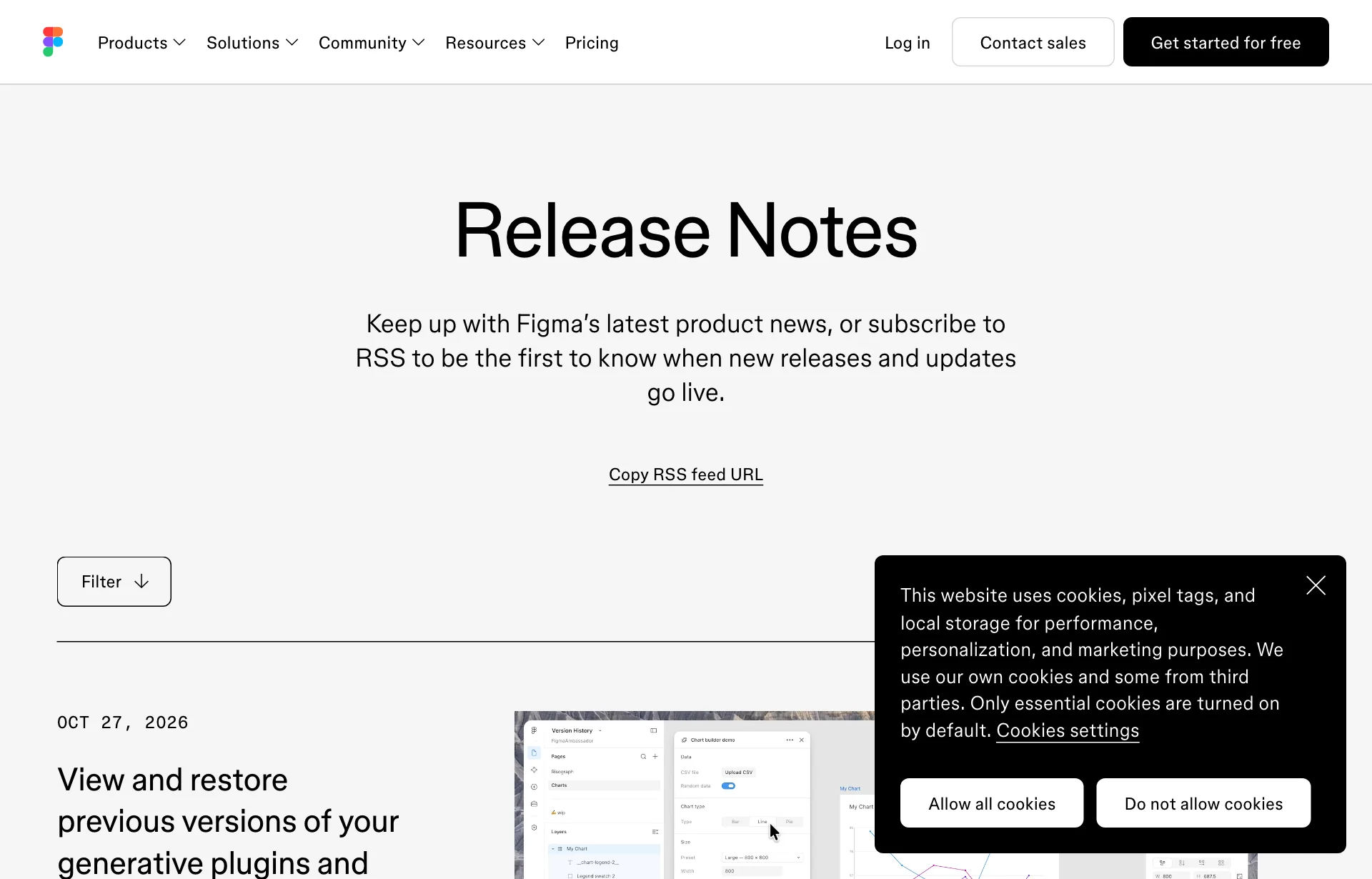
The release note is three lines long
The October 26 entry says:
- Weave's video and image models can be used from an external AI agent through the Figma MCP.
- The models named as examples are Seedance, Kling and Nano Banana.
- A Weave account must be connected to your Figma account, and videos and images made with these models consume Weave credits.
That is what I confirmed directly from the official page. The entry above it, dated October 27, is a separate feature: editing a generative plugin or shader now keeps earlier versions, and the agent writes a change description for each.
The door opened in August, and what is different now
A third-party guide to using Weave tools through MCP (rar.design) says Weave tools were connected to the Figma MCP server on August 11. That date comes from the guide, and I could not confirm it against an official Figma announcement.
The guide describes the flow like this. You build a task as a node workflow in Weave and save it as a tool. You connect a client such as Claude, ChatGPT or Cursor to the Figma MCP server and finish authentication. In the chat you name the tool, for example "run my Brand mockup tool with these images," and the agent finds it, runs it, tracks progress and returns the result. The guide also says the agent can only call tools that already exist, and that building new workflows from the chat is planned.
As I read it, August was about calling a prepared bundle of steps, while the October 26 entry says the models themselves can be called. How the two connect, and whether calling a model still requires a saved tool, is not stated in any official page I saw. I am not asserting either.
| Item | Basis | Confidence |
|---|---|---|
| Run saved Weave tools through MCP | External guide (rar.design) | Official announcement date not confirmed |
| Use Weave video and image models through MCP | Figma release notes, Oct 26 | Official sentence confirmed |
| Credits when calling models | Release notes: consumes Weave credits | Official sentence confirmed |
Sources: Figma release notes, rar.design guide. The table condenses both.
A rough per-run cost from Weave's pricing page
The release note says Weave credits are used but gives no per-model amounts. Weave's pricing page does not state a per-run cost either. Instead it shows how many outputs each plan's monthly credits produce per model. I divided the monthly credits by those counts.
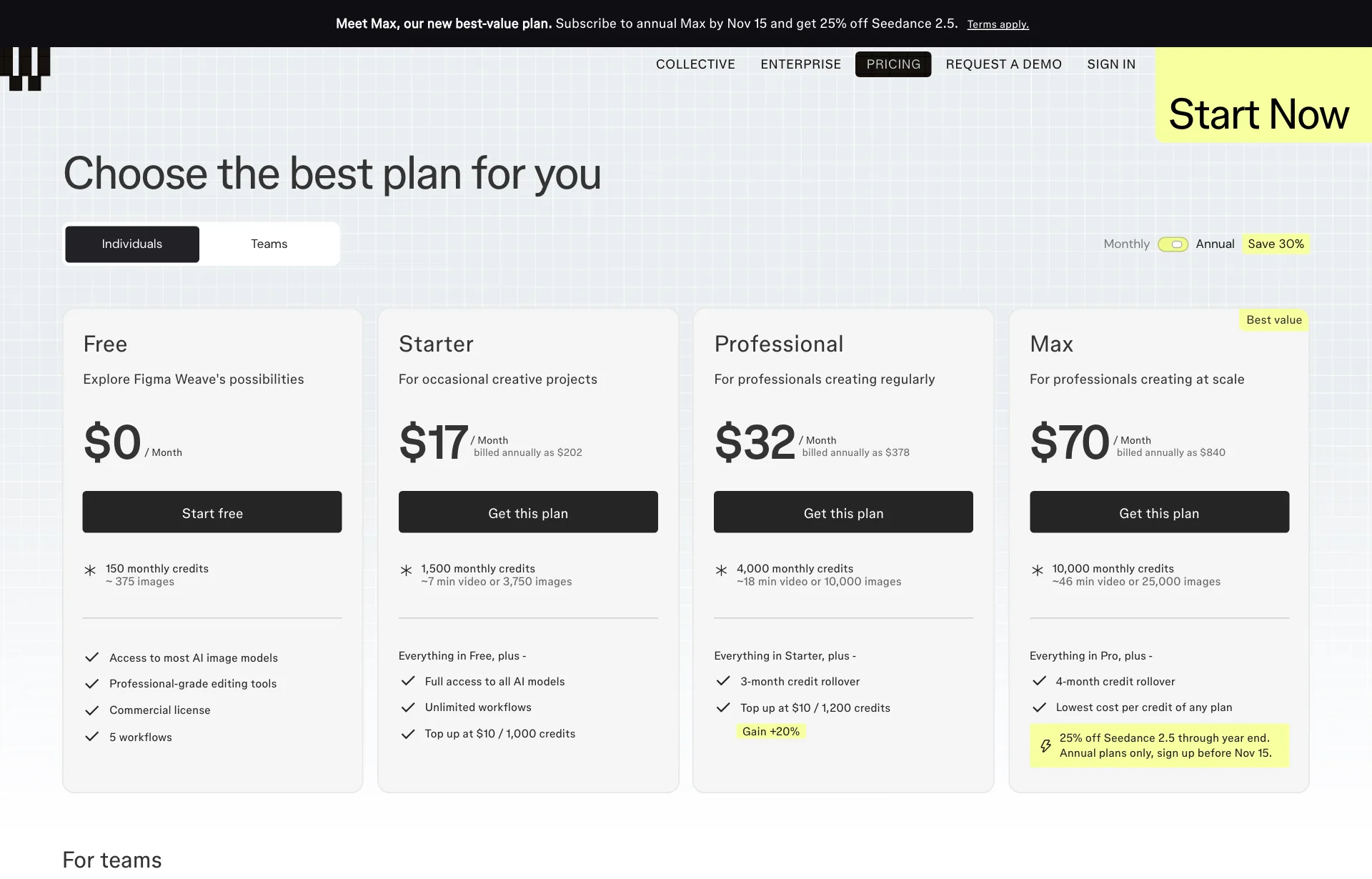
| Plan | Monthly price (annual billing) | Monthly credits | Nano Banana 2.1 | Seedance 2.5 | Kling 3 |
|---|---|---|---|---|---|
| Free | $0 | 150 | 21 | none | none |
| Starter | $24 | 1,500 | 214 | 115 | 122 |
| Professional | $45 | 4,000 | 571 | 308 | 324 |
| Max | $100 | 10,000 | 1,429 | 769 | 811 |
Source: Weave Pricing (checked 2026-10-29). The model columns are the output counts the page shows for a month of credits. Prices are shown for annual billing; I could not find monthly-billing prices in the page text. Team and Enterprise are omitted.
The arithmetic is simple. On Starter, 1,500 ÷ 214 is about 7, 1,500 ÷ 115 is about 13 and 1,500 ÷ 122 is about 12. Professional and Max give the same values. That implies roughly 7 credits per image and 12 to 13 credits per video. This is a back-calculated estimate, not a published price. The page does not say whether video length, resolution or options change the cost. Its Starter description also says "about 7 minutes of video or 3,750 images," so there may be a length basis behind the video count.
Still, it gives a feel for scale. Ten video drafts for one client request would be around 130 credits on Starter, so ten such requests would use up the 1,500 monthly credits. Treat it as a way to judge how many times a month you can press the button without worry, not as a budget.
The free plan has 150 monthly credits and shows no video models. The 21 under Nano Banana 2.1 is the image count on Free. I could not confirm whether MCP calls work on the free plan. The pricing page mentions API access only under Enterprise and does not mention MCP.
Credits now live in two places
This is the part that matters most in practice. The release notes say the Figma agent has used Figma AI credits since October 6 (covered in our piece on the Figma agent going paid). This new entry says calling Weave models uses Weave credits. Work you ask the agent to do inside Figma and work you ask an outside AI to do with Weave models therefore come out of different wallets.
- If one person on the team watches credits, Weave balances need watching too.
- It is safest to assume that having Figma AI credits left will not produce video if Weave credits run out. How the integration splits the two is not stated in an official sentence I could confirm.
- According to the pricing page, Starter credits do not roll over, Professional rolls over up to 3× the monthly credits and Max up to 4×. Top-up credits last 12 months from purchase.
One more point. A summary of the help article said the agent asks for confirmation before running. I could not open the original help page. Rather than trusting a confirmation step, run it once on the day you connect and watch when credits actually drop.
What is still unknown
- Exact per-model cost. The official table gives counts only. The figures above are my division.
- MCP on the free plan. No official statement either way.
- The full model list. The release note names Seedance, Kling and Nano Banana as examples. Which versions are open is not listed.
- Quality and consistency. I found no independent test of how steady the motion is for the same mockup.
- How results return to the Figma canvas. The guide says results come back to the chat. Whether they land in a Figma file is not confirmed.
- Commercial terms. The pricing page says the free plan includes a commercial license. Per-model terms were not in the pages I opened. For a baseline, see Can you use AI images in client work?.
Things worth trying
One sentence, one run. Upload a mockup and ask for something like "keep the composition and move only the background slowly over 5 seconds." Write down how many Weave credits it cost. That single line is the only way to check the estimate above.
Same sentence, two models. Give Seedance and Kling the same sentence and see whether the logo and text survive. As in the shift from re-rolling to editing, keeping the existing asset matters more than generating a new one in client work.
Alongside a rules note. Giving the agent a note with your colors and type rules first may keep the moving version closer to the brand. The Figma side is in our Specs article. Whether it helps for video has to be tested.
So for now
Count credits on the smallest plan first. Record what one video and one image cost. With no published amounts, that record becomes your team's reference.
Write down who watches which credits. One line in a team note saying Figma AI credits and Weave credits are separate prevents one running dry right before delivery.
Don't ship it straight away. Until per-model terms and consistency are clear, use the motion for review drafts and judge final files separately.
Sources: Figma release notes, Weave Pricing, Figma MCP collection overview, rar.design: Figma Weave tools via MCP guide, Last Week in AI Tools for Creatives (Oct 12th to Oct 18th, 2026).