Articles · AI Design
If you repeat the same retouch every week, Runway App Studio packs the steps into one app
Runway added App Studio to every paid plan. Describe a task in plain language and it becomes an app teammates can run from a link. What Runway's own pages confirm about how it works, pricing and sharing, and what is still unknown.
Translated from the Korean original. Read in Korean
The client's email reads: "Can you take last time's product shot and swap the background for six more markets? Same tone, please."
Which model you used last time, which reference images went in and which sentence produced the result are all somewhere in an old chat. You find it, paste it again, change the background description and run it six times. Next week the same request arrives and you do it all over. (This is an imagined scene.)
Runway has released App Studio, aimed at exactly this kind of repetition. Its changelog dates the entry October 23, while press coverage is dated October 26, so the dates differ by a couple of days. This is not a hands-on review. It is based on Runway's App Studio page, its changelog and its pricing page, plus press coverage. I did not find how many credits a single app run costs in any page I opened.
Describe it in words, get an app
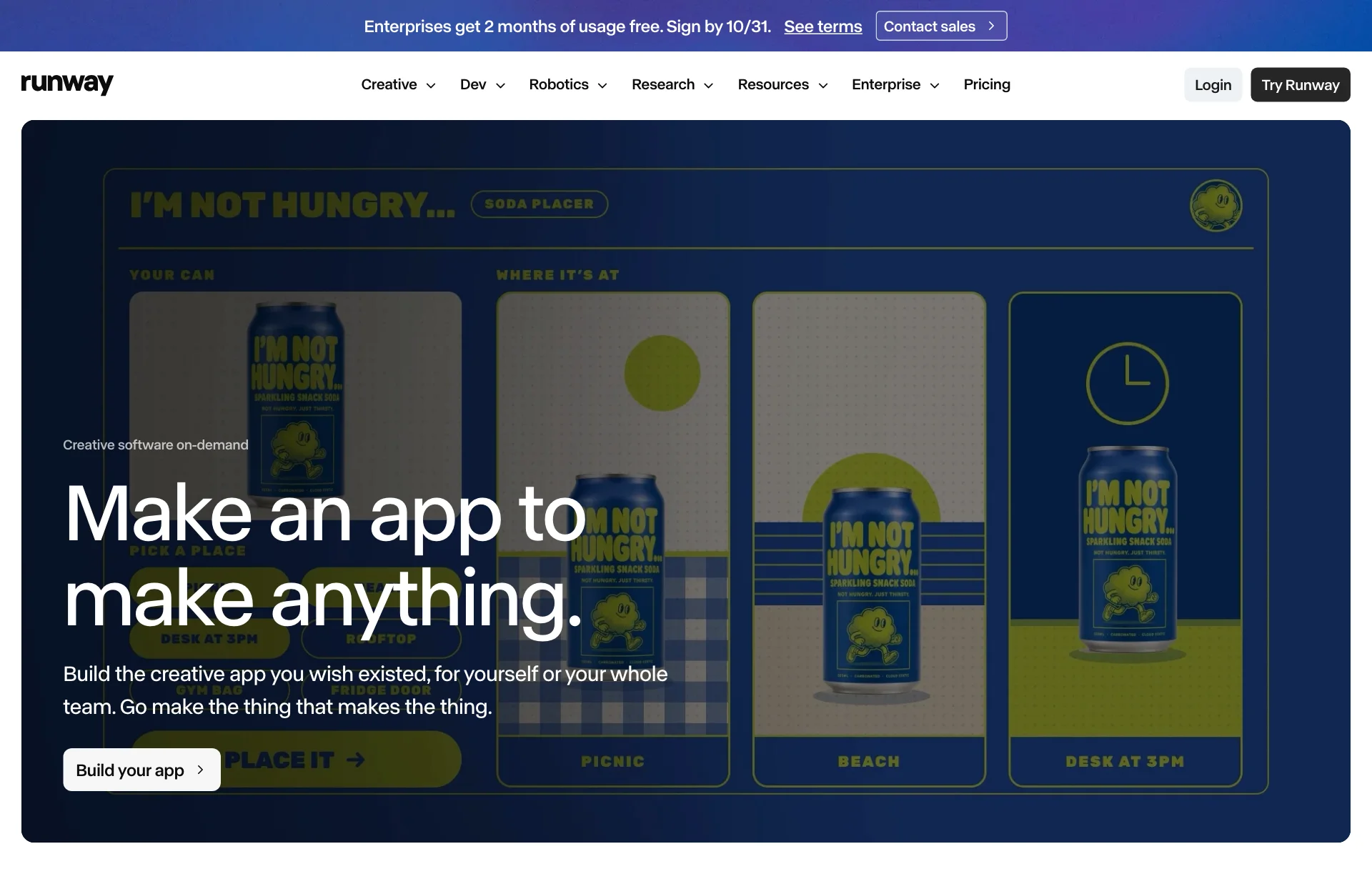
The official description is simple. You write the creative app you want in plain language, and App Studio builds, tests and deploys it. The page says there is no code, API key or hosting to manage. A finished app holds your prompts, models and processing steps as one bundle that you can rerun when needed.
According to AlphaSignal's coverage, you specify the inputs, the generation steps and the output. After that you refine it with follow-up instructions and roll back to an earlier version if you don't like a change.
| Feature | What the official pages say |
|---|---|
| Build | Describe it in plain language; it builds, tests and deploys |
| Edit | Change it in plain language and roll back any time |
| Convert | Turn an Agent session or Workflow into an app in one click |
| Brand | Pulls from Brand Kits and references to stay on brand |
| Variations | Adapts one asset across products, markets and formats |
Sources: Runway App Studio, Runway changelog. The table condenses the two pages.
A Brand Kit is a reusable collection of reference images and videos for a brand's products, locations, colors and so on. Per the changelog, Agent has been able to create and edit Brand Kits in conversation since September 10, and since September 22 agents connected through MCP (the way AI tools plug into each other) can find kits and use their assets as references. Over MCP the kits are read-only; creating and editing still happens inside the product.
The apps on the first screen
The official page shows Character Swap, Precise Edit, Product Photos and Style Out as starting apps. The existing library lists Remove from Video, Reshoot Product, Upscale Video, Add Dialogue and Relight Scene. The press coverage named the launch apps as Character Swap, Precise Edit, Style Out, Product Shoot and Table Read. The names differ from the page; I could not tell which is current, and the official page I opened says Product Photos.
What stands out is the nature of the list. Most of these tools edit or multiply material that already exists rather than draw something new. Swap a person, make a precise edit, reshoot a product, relight a scene. It points the same way as the week image AI moved toward editing.
Pricing comes out of one credit pool
App Studio is included in every paid plan with no add-on cost, according to the official page. Building, running and hosting draw from credits you already have. The plans on the pricing page:
| Plan | Monthly price | Monthly credits |
|---|---|---|
| Free | $0 | None (125 one-time) |
| Standard | $12 billed annually, $15 billed monthly | 625 |
| Pro | $28 billed annually, $35 billed monthly | 2,250 |
| Max | $76 billed annually, $95 billed monthly | 9,500 |
Source: Runway Pricing (checked 2026-10-27). App Studio was mentioned for Standard, Pro and Max, not Free.
The free plan gets a one-time grant of 125 credits instead of a monthly allowance. Because App Studio is described as a paid-plan feature, whether you can build and try an app for free is not confirmed. The open question about where credits go is the same one raised in the Figma agent credit piece. I could not find a published per-run cost for apps.
The link runs on the visitor's credits
Sharing is the most practical part.
- An app stays private until its creator shares it.
- It can be shared with teammates or published as a public link.
- Every link requires a Runway sign-in.
- Whoever runs the app from a link uses credits from their own account.
- Admins can see usage across all apps and control which models the workspace can use.
The last two lines mean this: if you build a "product shot variations by market" app and send the link to a client or colleague, they run it on their own credits and your allowance doesn't shrink. It also means they need a Runway account. Whether they must be on a paid plan to spend credits is not confirmed.
What is still unknown
- Credits per run. I found no per-app consumption table.
- Free plan. No official statement on whether you can build and run apps.
- Consistency. No independent test of how similar results are when the same app gets the same input. For apps made from a text description, this matters most.
- Scope. The coverage said custom code, webhooks, external API support, source-code export, custom domains and embedding in other products were not addressed. Support is unknown.
- Commercial terms. Rights to app output weren't confirmed in the pages I opened. For a general baseline, see Can you use AI images in client work?, which does not necessarily apply to Runway.
- Korean text. None of the sources say whether apps handle Hangul.
What to try first
The one task you repeat most. Background swaps, size variants, five images in the same tone. Pick something you do at least twice a month. A task that happens once is a weak reason to build an app.
Five runs with the same input. If you build an app, feed it the same asset five times and count how many results drift from the brand tone. That number tells you whether you can hand it to a team.
The screen your recipient sees. Open the share link from a teammate's account and look at the sign-in and credit display. If you plan to give it to a client, that screen becomes part of the deliverable.
So for now
Write the steps down first. Before building, reduce the task to one input, three steps and one output. A task that is hard to write down will be hard to turn into an app. As in why Lovable dropped its three design directions, fixing the rules first makes results wobble less.
Count credits on the smallest plan. Note how many credits drop after a few runs. With no published consumption, your own log is the only reference.
Keep practice and delivery separate. Until the rights terms are confirmed, don't put the output straight into client work. Don't promise on things that aren't confirmed.
Sources: Runway App Studio, Runway Product Updates & Changelog, Runway Pricing, AlphaSignal: Runway's App Studio Turns AI Model Chains Into Shareable No-Code Tools, Future Tools news.