Articles · AI Design
When a three-line copy fix means opening Webflow again: what to check in the Gemini connector
On October 15, Webflow became a connected app in the Google Gemini app. Per the release, you can build pages, manage CMS content, audit a site and ask performance questions from chat. Free to install, and currently no Webflow AI credits. What the release and marketplace page say, and what is still unknown.
Translated from the Korean original. Read in Korean
The client's message is one line: "Change the intro copy in three places and swap one team photo."
To do it, you open the Webflow editor, find the collection, open items one by one, edit, and publish again. The edit itself is quick. Opening and closing everything takes longer. Small jobs like this make you want to finish them in an AI chat window.
On October 15, Webflow announced in a press release that it is now a connected app in the Google Gemini app. This piece repeats only what I verified in that release and on Webflow's app marketplace page.
Before you read
- I did not install this connector on my own Webflow account. Everything below is what the release and the marketplace page say.
- I read the release as republished by CMSWire and TechIntelPro. I could not open the original GlobeNewswire page.
- Plan-by-plan conditions, supported regions and usage limits were not specified in any source I opened.
- I found no third-party test of the connector. That pages come out well is Webflow's claim.
- Some roundups describe the news as Webflow "integrating Gemini into its design platform." The release says Webflow is a connected app inside the Gemini app. This piece follows the release.
What a connected app is
MCP is a standard that lets an AI app call another tool's functions. Think of it as an outlet between the chat window and a service. Webflow already ran an MCP server, and according to the release the capabilities offered through Claude, ChatGPT, Codex and Slack now reach Gemini too.
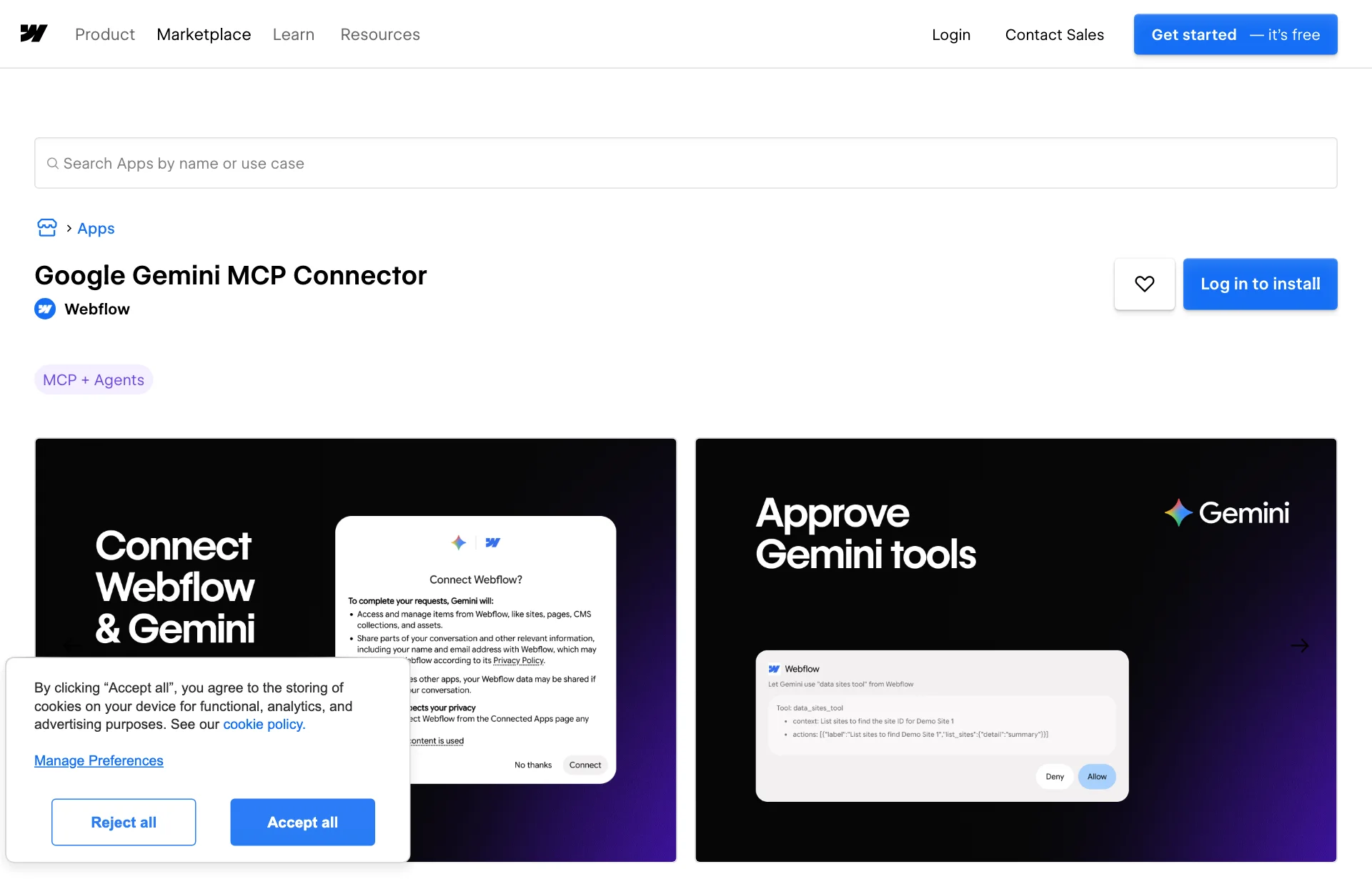
Gemini has a connector marketplace open only to approved partners, and Webflow is on it. The marketplace page describes the app as connecting your Webflow account to Gemini so you can edit your site by conversation and ask about site performance. You install it by logging in on that page. The page gives no detailed steps.
The seven things the release lists
| What it does | How the release describes it |
|---|---|
| Performance questions | Ask Webflow Analyze about traffic, top pages, engagement, goals and change over time |
| Test results | See in Webflow Optimize which variation won and whether the difference is statistically significant |
| Brand in AI | AEO Analytics shows how AI systems discover, describe and cite your brand |
| Page building | Build responsive pages and components on your existing styles and brand system, with scroll, hover, load and click interactions |
| CMS management | Create, edit, organize, sort and filter collections in a single request, including custom and reference fields |
| App deployment | Deploy Webflow Cloud apps, check status and diagnose failed deployments |
| Site audits | Review SEO, accessibility, broken links, performance and content quality |
Source: CMSWire: Webflow and Google Gemini announce new agentic integration (press release, 2026-10-15). The table condenses the release's items.
The marketplace page lists similar things in different words: turning a design or description into responsive pages, bulk-creating and editing collection items, adding motion and then fine-tuning it in Webflow's visual timeline, and getting a prioritized fix list.
Three things a designer would notice
First, "on your existing styles." The release says pages and components are built on your existing styles and brand system, meaning the color and type rules and the button and card components already set up in the site. How this works on a site without tidy rules is not covered. Passing rules to an AI was the subject of DESIGN.md, one file that hands your design rules to AI. This connector seems to assume those rules already live in the site. That is my reading.
Second, there is a record. The release says existing roles and permissions still apply and AI actions are attributed in activity logs. The marketplace page says installing requires site data access and a designer-workflow permission. On a client site, having a record of who changed what is better. I did not see how an AI action looks in the log.
Third, analytics questions share the same chat. Not only building pages: you can also ask which pages got the most views last month, or how AI answers describe your brand. The last item connects to the problem in When an AI answer replaces search results. How accurate that analysis is cannot be told from these sources.
Price and conditions
- The connected app is free to install.
- It currently does not consume Webflow AI credits. Read "currently" as a condition. No change was announced.
- What you can use depends on your existing Webflow plan and permissions. There is no per-plan table.
- The marketplace page says Webflow reviewed the app's quality but does not endorse or certify it.
Do not confuse it with this week's Figma news. Data storage and an admin panel inside Figma Make were covered in When the Save button saves nothing. That one is about building a new site from a prompt. This one is about handling an existing Webflow site from chat.
What is still unknown
- Undo. Whether a chat edit can be reverted in one step, or whether there is a confirmation before publishing, is not stated.
- Quality. Whether interactions and responsive pages match a designer's work has not been shown.
- Limits. Items per conversation and rate limits are not given.
- Regions and plans. The release does not describe regional availability.
- How long it stays credit-free. Not stated.
Matching it to the work you already do
Copy tweaks, photo swaps and tidying seven blog entries are the first candidates, since bulk create and edit for collections is on the list. Laying out a brand-new page from scratch can wait until you have seen results.
For freelancers, one more handover note may be needed. If a client's staff will edit the site by chat, you have to decide what permission they get. The release says the existing permission system applies, so checking your current settings is a sensible first step. That is my opinion.
What to do now
Check your Webflow permissions first. Installing needs site data and designer-workflow permissions, according to the page. Before connecting a client site, list who holds edit rights and find where the activity log lives.
Start on a site where mistakes are cheap. On a portfolio or test site, try a small request such as "rewrite the intro of these five collection items in the same tone." If it goes wrong, check how to revert at the same time.
Read "free" as "for now." Nothing promises that credit-free use continues. Whether to build AI usage into a monthly maintenance fee can wait until pricing is set.
AI design tools are collected by use on AI design tools.
Sources: CMSWire: Webflow and Google Gemini announce new agentic integration, TechIntelPro press release copy, Webflow app marketplace: Google Gemini MCP Connector, MarTech news roundup.